


Download Infinite Painter – Digital Art Software, Graphics Tool, Creative Design Utility
Overview
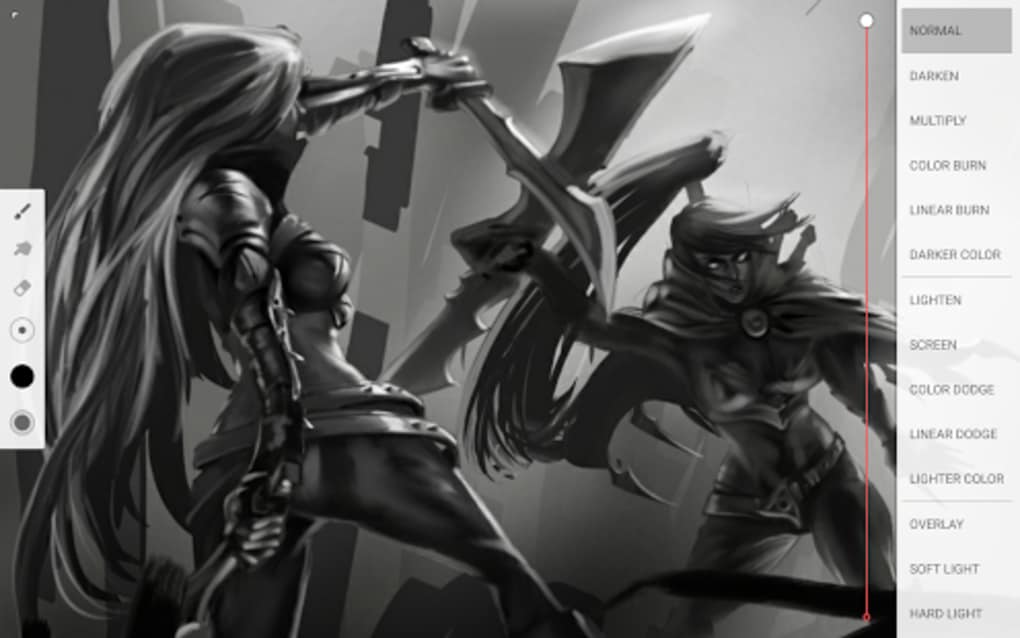
Infinite Painter is a desktop application designed for digital artists seeking a versatile and intuitive platform for painting, sketching, and graphic design. The software aims to replicate the tactile experience of traditional art tools—such as brushes, pens, and markers—within a digital environment, offering a realistic feel for users who value expressive control. It supports a wide range of artistic styles, from detailed realism to stylized illustration, making it suitable for both hobbyists and professionals. The developer did not provide additional background information, but the software is positioned as a comprehensive creative toolset for artists across skill levels. Real-world usage scenarios include concept art creation, digital illustration, design prototyping, and personal artistic exploration. The app is optimized for use with stylus input, particularly on devices that support full pressure and tilt functionality, enhancing precision and responsiveness. While the desktop version shares core features with its mobile counterparts, it is tailored to deliver a more robust experience on larger screens with advanced workflow capabilities. The developer did not specify exact system requirements or performance benchmarks.Key Features & Capabilities
- Realistic Brush Simulation: Infinite Painter replicates traditional art tools with high-fidelity rendering, delivering natural stroke behavior and texture variation.
- Customizable Brush Library: Users can adjust brush settings such as size, opacity, flow, and texture, with support for importing and exporting custom brush sets.
- Layer Management: The software supports multiple layers with collapsible visibility, enabling efficient organization and non-destructive editing.
- Smart Editing Tools: Features like masking, gradient fills, and shape detection enhance precision and streamline complex design tasks.
- Multi-Format Export: Works with common file formats including JPG, PNG, and layered PSD files for broad compatibility across platforms.
- Timelapse Recording: Captures the entire creative process, ideal for sharing work progress or creating tutorial content.
- Workspace Customization: Interface elements can be rearranged to suit individual workflows, with quick-access brush sets for improved efficiency.
User Interface, Workflow & Performance
The user interface of Infinite Painter is structured to balance accessibility with advanced functionality. The layout is modular, allowing users to rearrange panels and tools based on their preferences. Common tools are grouped logically, and the interface supports touch and stylus gestures for intuitive navigation. Collapsible layers and customizable toolbars help reduce visual clutter, especially during detailed work. The workflow is designed to minimize interruptions—frequent actions are accessible via keyboard shortcuts or quick-access buttons. While the developer did not specify resource usage details, general software behavior suggests moderate CPU and RAM usage typical of graphics applications. Performance observations are based on general software behavior patterns. The app may experience lag on systems with limited graphics processing power or outdated drivers. The developer did not provide information on stability under prolonged use or during complex operations. Users have reported occasional bugs, such as tools failing to respond, and instances of sudden crashes, which may result in data loss if autosave is not enabled.Compatibility & System Requirements
Infinite Painter is available for desktop platforms, with support confirmed for Windows and macOS. The software version and installation size were not specified in the provided data. Platform compatibility information is limited, and exact system requirements were not listed. The developer did not provide details on minimum or recommended hardware specifications, including processor speed, RAM, or graphics card requirements. It is designed to work best on devices with stylus support, particularly those offering full pressure sensitivity and tilt detection. The absence of detailed technical specifications means users should rely on general system performance indicators when assessing suitability. For optimal results, users are advised to use devices with high-resolution displays and capable graphics processing units. The software may not function as intended on older or low-end hardware.Pros and Cons
- Extensive brush customization with support for custom sets
- Intuitive interface with customizable workspace
- Supports multiple export formats including PSD for professional use
- Timelapse recording for sharing creative processes
- Realistic simulation of traditional art tools
- Efficient layer management and smart editing features
- Occasional tool responsiveness issues reported by users
- Sudden crashes have been documented in some cases
- Limited information on system requirements and performance
- Requires stylus-compatible hardware for full functionality
- Autosave functionality not confirmed in provided data
FAQ Section
Is Infinite Painter available for Windows and Mac?
Yes, Infinite Painter is designed for desktop use and supports both Windows and macOS platforms.
Can I use Infinite Painter without a stylus?
While the app can be used with a mouse, it is optimized for stylus input, especially on devices with pressure and tilt sensitivity for a more natural drawing experience.
Is the software secure to download and use?
Infinite Painter is a legitimate desktop application. As with any software, users should download it from official sources to ensure security and avoid potential risks.
Are updates included in the free version?
The software is free to download and use, with updates likely provided to maintain functionality and security. Additional content may be available through optional in-app purchases.
Can I export my work in layered files?
Yes, Infinite Painter supports exporting projects in layered formats such as PSD, allowing for further editing in other design applications.




.png)


